Posts

Showing posts with the label endnote

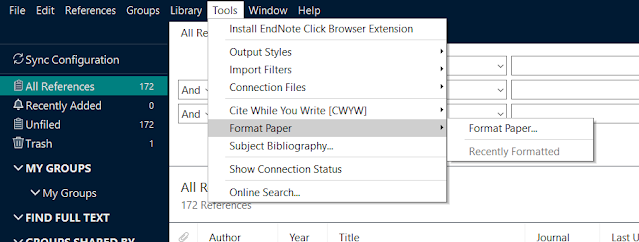
How to delete the recent file list (either in open recent or tool>format paper>recently formatted)
Image
After you work with many files from the googleDoc , more records will appear in the program. Here's how to get rid of them. How to open Registry Editor: https://support.microsoft.com/en-us/windows/how-to-open-registry-editor-in-windows-10-deab38e6-91d6-e0aa-4b7c-8878d9e07b11 Check out on how to add references using endnote while working with google doc: https://minicore-rarc.blogspot.com/2021/06/how-to-have-endnote-connect-with-google.html
How to have Endnote connect with Google docs (update: 2024-04-23)

Image
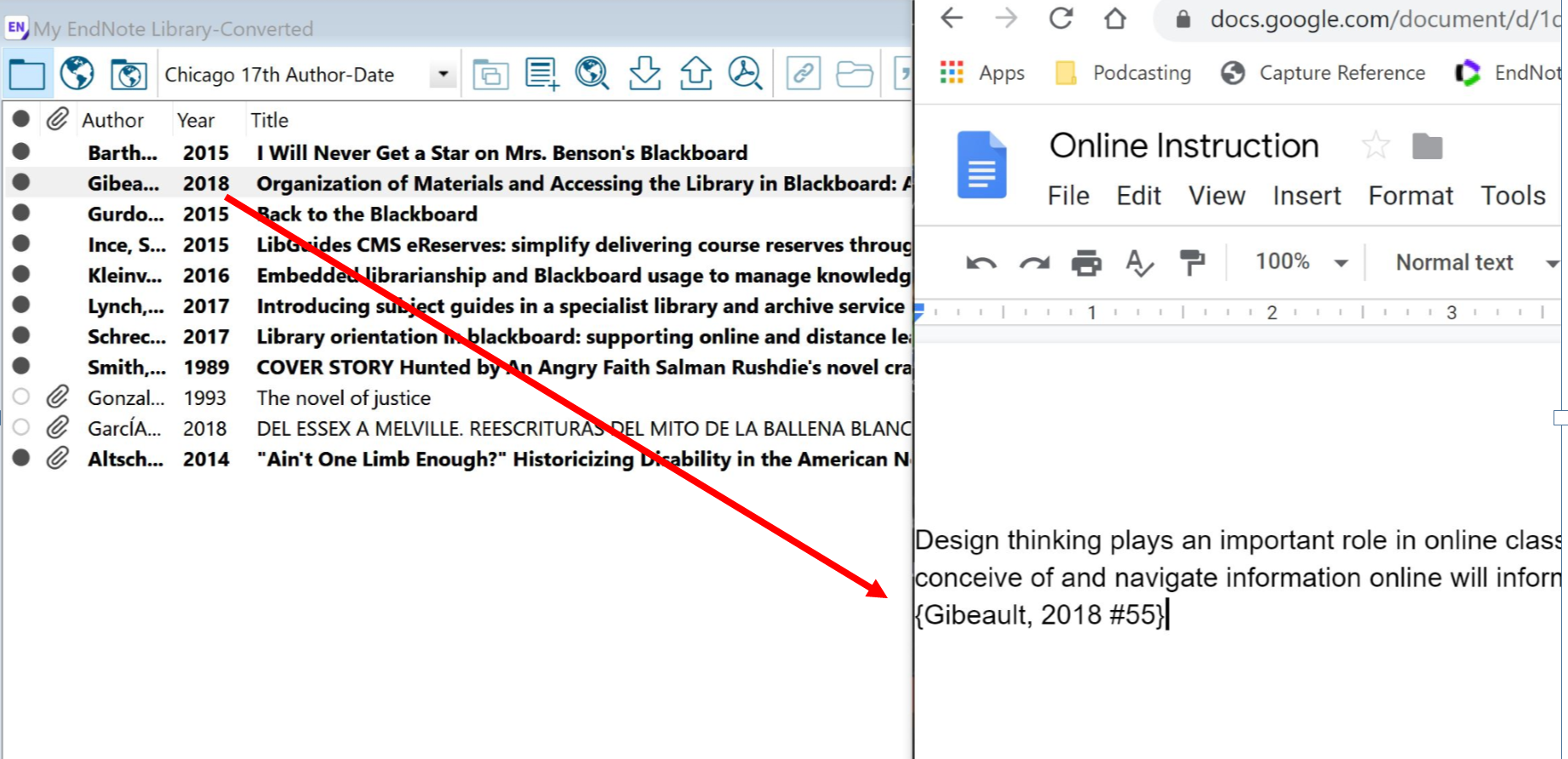
  I think it is worth to share this trick. Normally, I use sciwheel to cite in the ggDoc.  ---- Thank you for contacting Clarivate.  I understand you would like to have Endnote connect with Google doc. I will glad to assist you on this. It is possible to use EndNote to place citations into a Google Doc. It will take a few steps and you will still need to have EndNote installed on your desktop.  Step 1 : Drag and drop your citations from EndNote to where you want to place them in your Google doc.  Step 2:  When you're finished writing, download your Google doc in Rich Text Format (.rtf) Step 3 : In EndNote, select Tools - Format Paper - Format Paper and choose your .rtf file Step 4 : In the Format Paper dialog box that appears, choose the citation style you want under Output Style and click Format. Step 5 . Save the paper as an .rtf file to your desktop. Note: you will lose the citation formatting if you upload this file back into Google docs so co...